✦ Your Video Hub for iOS

All your platforms.
One single hub.

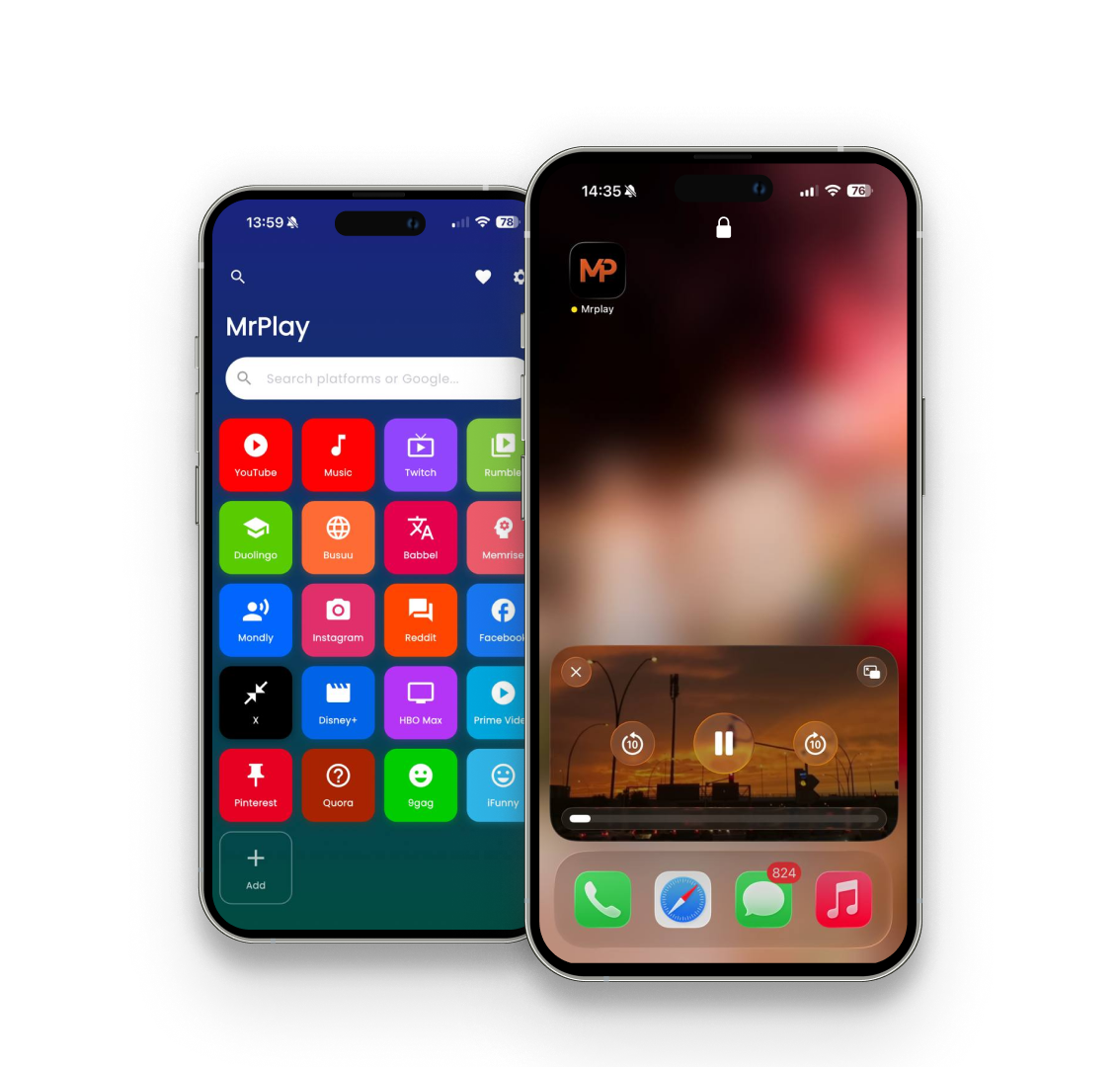
MrPlay brings YouTube, Twitch, Instagram, Reddit and 16+ more platforms together in one clean, native iOS experience — with a floating mini player, background audio and lock-screen controls.

Free · iPhone & iPad · iOS 13.0+

Everything in one place

A native experience around the platforms you already use — no setup, no accounts required.

Multi-platform hub

20+ platforms organized by category — all reachable from a single colorful home screen.

Floating mini player

Keep watching while you browse other content. Swipe to expand, minimize or send to Picture-in-Picture.

Background audio

Lock your screen or switch apps — audio keeps playing with full lock-screen controls.

Notification controls

Play, pause and seek straight from the lock screen or Control Center.

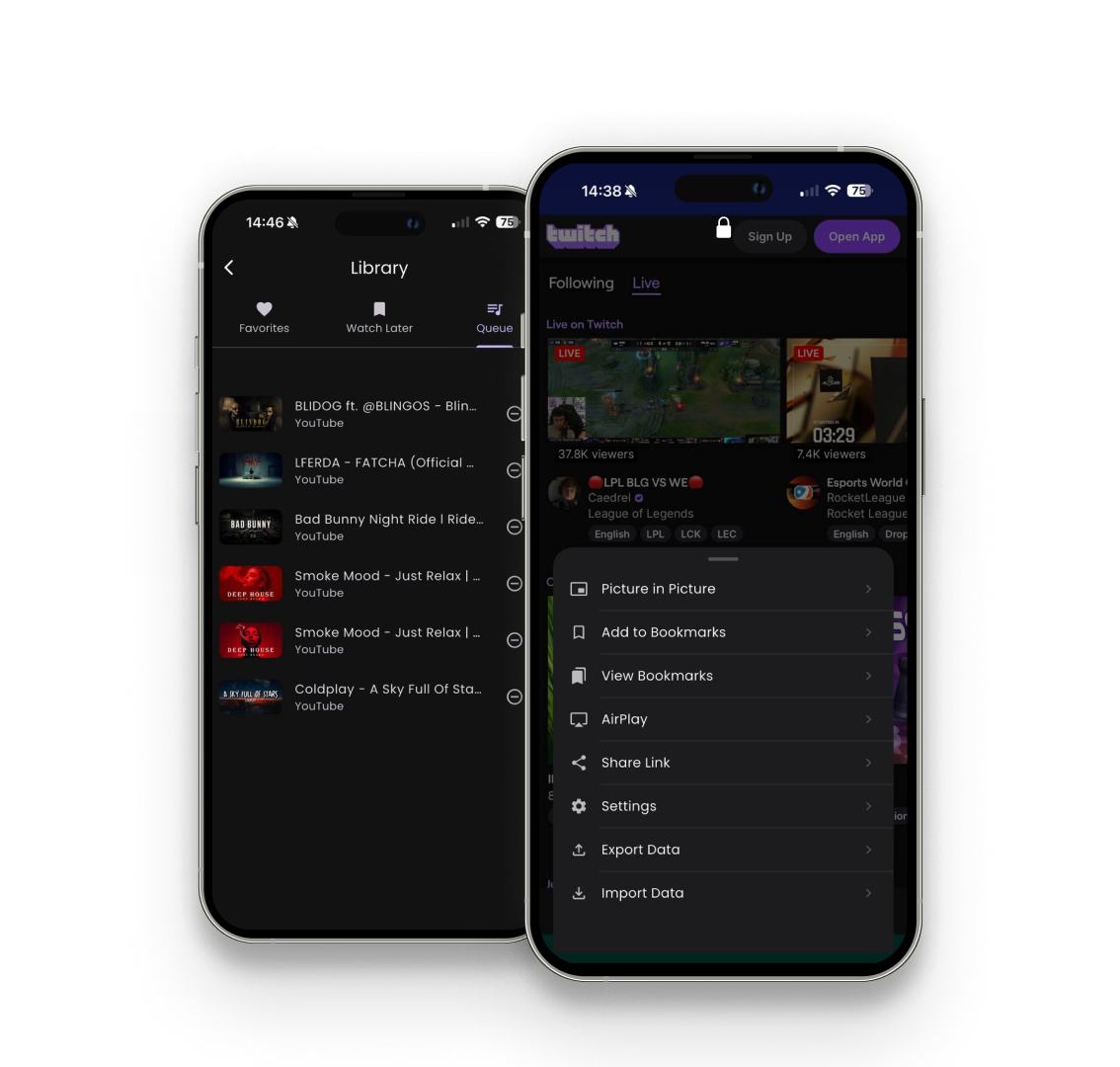
Favorites & Watch Later

Save videos, build a queue, and resume right where you left off.

Sleep timer

Fall asleep to your favorite content — playback stops automatically after your chosen time.

How it works

Get started in three simple steps.

1

Download the app

Get MrPlay free from the App Store for iPhone or iPad.

2

Pick a platform

Tap any platform on the hub and browse its official site.

3

Play & keep going

Watch in the mini player, listen in the background, and save for later.

One hub, every platform

All your favorites, organized and one tap away.

YouTubeYouTube MusicTwitch RumbleInstagramReddit FacebookXPinterest Quora9GAGiFunny Disney+HBO MaxPrime Video DuolingoBabbelMemrise MondlyBusuu

Download MrPlay

Experience your favorite platforms like never before — with a floating player, background audio, and more — completely free.

App Store
Free Background play Picture-in-Picture No account required

Frequently asked questions

How do I start watching?

Open MrPlay, tap any platform on the hub, and browse its official website. When a video plays, it appears in the mini player at the bottom of the screen.

How does background audio work?

Start playing a video, then switch to another app or lock your screen. Audio keeps playing, and you can control playback from the lock screen or Notification Center.

Do I need an account?

No. MrPlay does not require an account. If you sign in to a platform (like YouTube) inside the app, that happens on the platform's own website.

How do I use the mini player?

Tap the mini player to expand to the full player. Swipe down to minimize, or tap the down arrow to move the video into Picture-in-Picture.

How do I save a video for later?

Use the bookmark (Watch Later) or heart (Favorites) buttons in the full player, or open the menu and choose "Add to Bookmarks".

Why am I seeing ads?

MrPlay is free and supported by advertising. You can control ad personalization in iOS Settings → Privacy & Security → Tracking.